Closed the moment it opens
Once the screen is confirmed to be a short-video screen, you are taken back automatically. You do not have to delete the app.
Fuin
An Android app that closes a short-video screen the moment it opens. Regular videos, search and messages keep working as before.

Android 9 or later / All features free / No ads
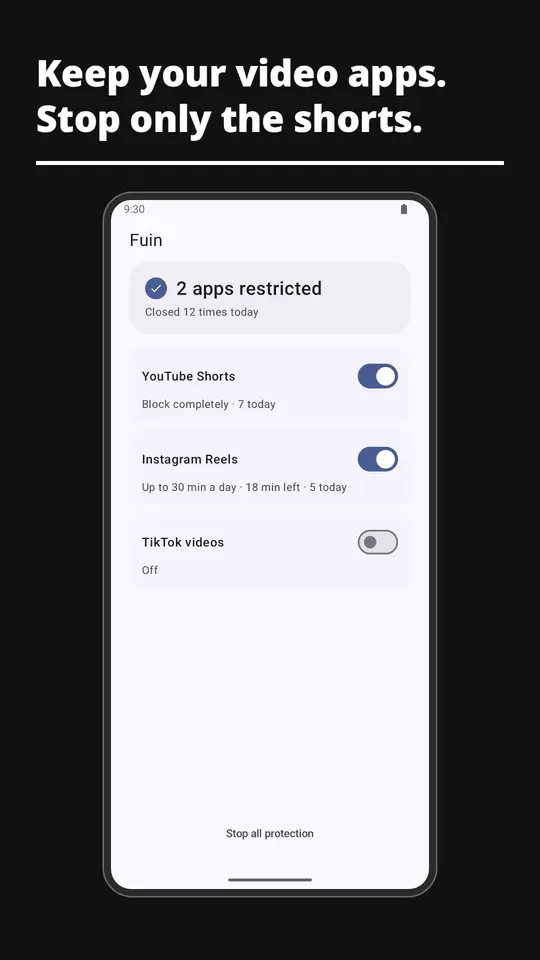
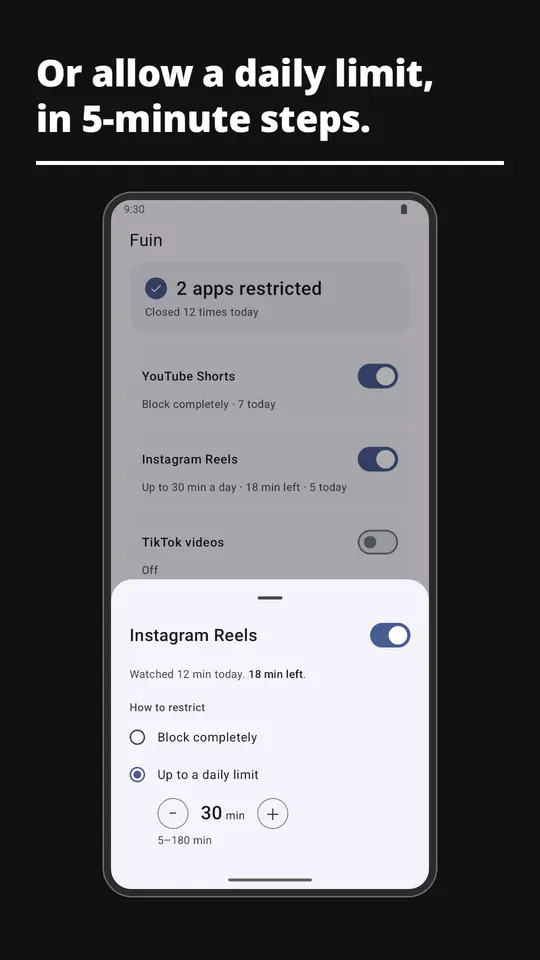
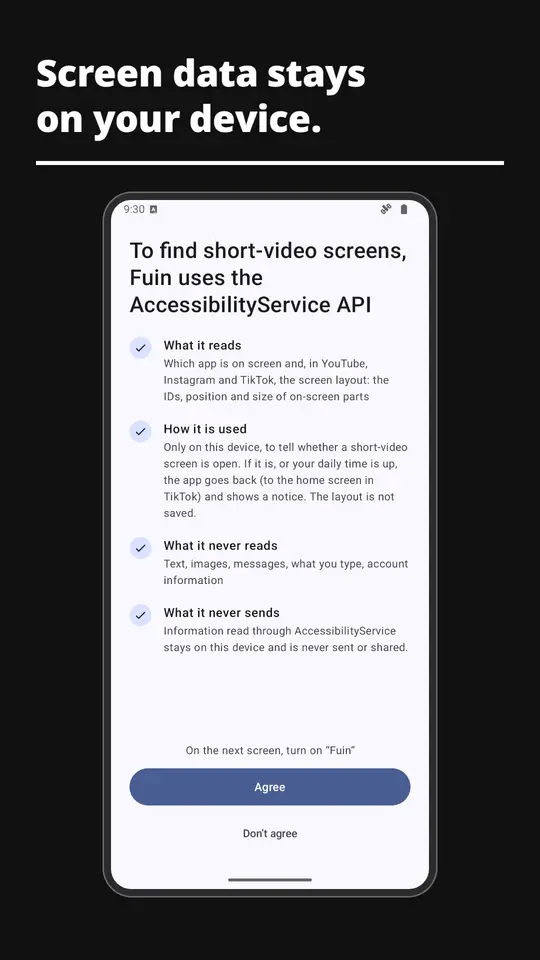
Once the screen is confirmed to be a short-video screen, you are taken back automatically. You do not have to delete the app.
Block completely, or allow 5 to 180 minutes a day, chosen per app. The limit moves in 5-minute steps.
Screen checks, settings and usage records stay on your device. The app has no ads.
When it closes a screen, a short notice appears in the middle of the screen for about three seconds: one sentence from published research on short-video use and attention or sleep, with its source.
The notices stay within what the research reported (associations and tendencies). They do not claim that short videos are the cause.
After an update of one of these apps, blocking may stop working for a while. Fuin is an independent app and is not affiliated with the providers of these video services.
Fuin uses Android's accessibility service to tell whether the screen you opened is a short-video screen, and to close it.
The app shows this explanation on first launch and asks for your consent before taking you to the device settings. See the Privacy Policy for details.
English, Japanese, Korean, Traditional Chinese, Spanish, Portuguese, German, French and Indonesian. The app follows your device language, or the per-app language setting on Android 13 and later.
The daily limit counts only the stretches in which the screen was confirmed to be a short-video screen. Moments such as the middle of a swipe are not counted, so you may be able to watch slightly longer than the limit.
Battery-saving settings on some devices can stop the accessibility service. When the app notices, it notifies you. Opening the app shows how to fix it.
No. Telling another app's screens apart and closing them is only possible on Android.